Windows-first Flutter app that turns high-resolution iris photos into finished artwork: intake, multi-step Iris Editor, workspace composition, and Art Studio with Dropbox templates plus Photoshop automation.
Freelance lead · Flutter desktop (Windows) · BLoC & Clean Architecture
End-to-end flow from client intake through circling, flash correction, color, drag-to-workspace, and template-based export | Hive-backed sessions, queues, and artwork history with smart resume rules | GoRouter session guards and desktop UX (drop targets, min-width overlay)
Iris Editor queue with ellipse circling (Photoshop crop), brush flash removal, color matrix & local masks | Art Studio: solo/duo effects, layouts (square/column/row/rectangle), personalization PSD layers, generate with progress/cancel | Dropbox OAuth + PSD download pipeline; print & email handoff helpers | Session history dialog (24h), temp path hygiene, window_manager integration
A production desktop tool for the client: repeatable iris-to-print workflow with professional templates, dimension-cached artwork history, and resilient file orchestration instead of fragile manual Photoshop steps.
Next: deeper automated coverage around generation edge cases and optional public repo link when the client agrees.
Soulireye is a production-grade Flutter desktop application built primarily for Windows, designed for a real studio workflow: turn high-resolution iris photographs into framed, printable artwork. The product spans the full operational story—from the moment a practitioner opens the app to the moment a finished PNG (or print layout) leaves the workspace. That breadth is deliberate: intake, editing, staging, templating, and export are treated as one continuous pipeline rather than unrelated screens.
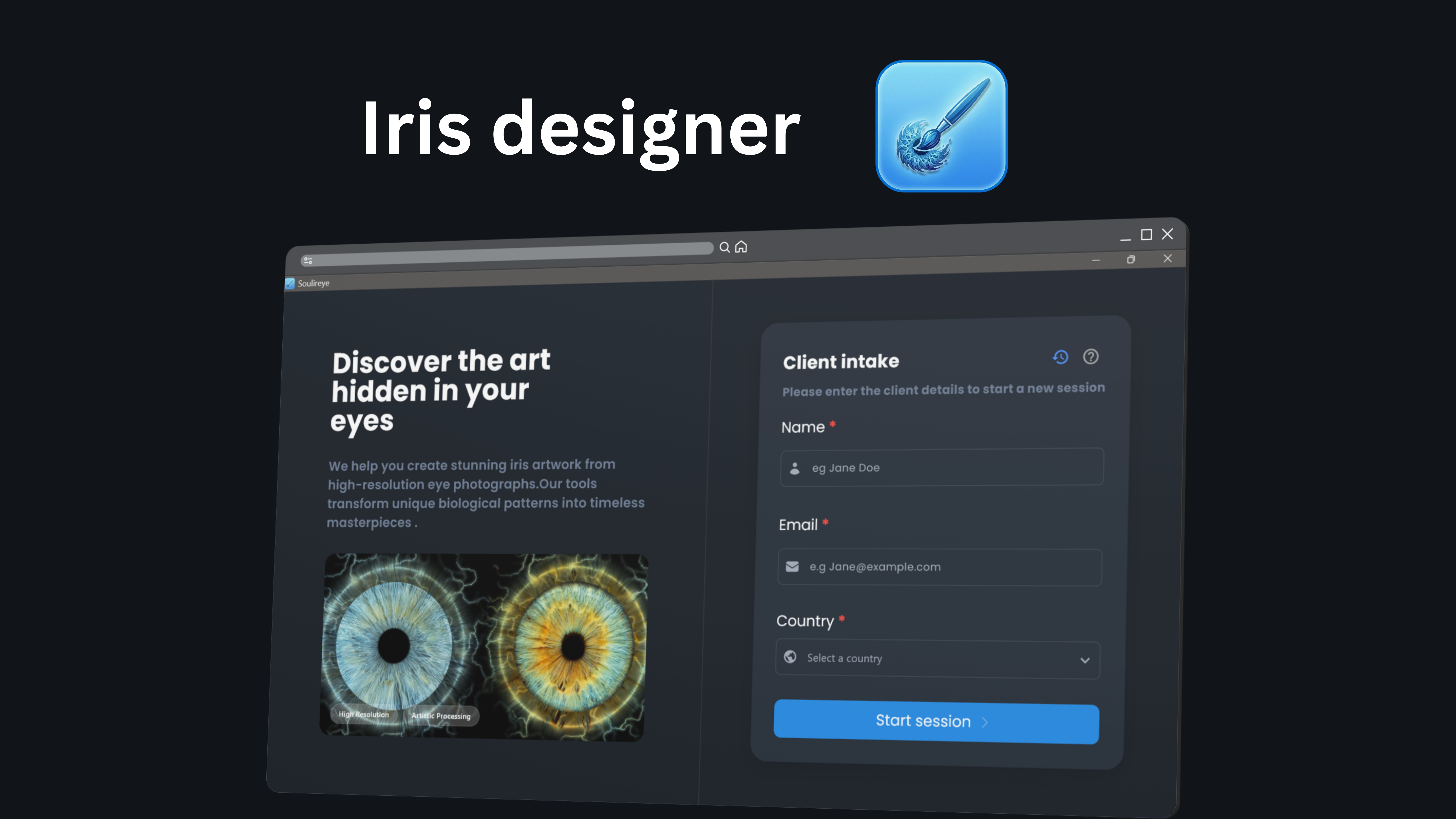
The journey begins on a splash surface with a dark, brand-consistent shell, then moves into client intake with a split marketing and form layout. Practitioners enter name, email, and country; the app validates required fields, supports session history within a twenty-four-hour window, and can detect an existing session to offer a “jump back in” path instead of duplicating data. Resume logic is non-trivial: depending on what is stored in Hive—raw paths, edited paths, Art Studio outputs—the router sends the user to Image Prep, the secondary prep workspace, or Art Studio with history primed, so returning users are not punished with empty state when work already exists.
Image Prep is the upload hub: up to six JPG/PNG assets, duplicate and format checks, desktop drag-and-drop, copies into controlled prep temp locations, and a grid with per-image cleanup. A parallel instruction column keeps the mental model clear—review on the left, then continue into the Iris Editor. The editor itself is a dense, desktop-native surface: a large canvas region paired with a fixed queue sidebar listing every iris, its status (pending through done), locking rules for slots that arrived from downstream flows, hover delete on desktop, and background overlays while Photoshop-backed jobs run (cropping iris boundaries, removing flash, applying color).
Circling, flash correction, and color are three explicit steps with explicit gating—you cannot shortcut the pipeline in ways that corrupt later exports. Circling persists parameters per image; flash work supports brush masking, undo, skip with confirmation, and resets tied back to cropped baselines; color combines global sliders with optional localized brush modes and version-aware resets. When every item in the queue is complete, Proceed syncs edited paths back into session storage and hands off to Prep 2, where draggable thumbnails assemble the set that should enter Art Studio.
Art Studio synchronizes Dropbox-hosted Photoshop templates with the on-canvas iris count, chosen solo or duo effect families, layout shape rules that change when pair effects constrain geometry, reorderable thumbnails, personalization fields when PSD metadata allows, and a generation funnel with cancellable downloads, rotating status copy, failure dialogs that read human, and Hive-backed artwork lists plus dimension caches for history grids. Finish options include save-as download, conditional print ladders by layout, and email composition hooks when configuration and client email allow.
A global app bar pattern ties the experience together: contextual back behavior, quitting to intake, working identity in the subtitle, and help dialogs indexed by numbered guides so operators are never orphaned on a dense screen.
Flutter, Dart, flutter_bloc, go_router, get_it, hive_flutter, dio, file_picker, path_provider, path, desktop_drop, window_manager, google_fonts, flutter_svg, dotted_border, image, equatable, dartz, uuid, printing, share_plus, Photoshop automation (JSX services), Dropbox OAuth
The hardest part was coordinating a long desktop pipeline—temp copies, Hive session state, queue locking, partial edits, and heavy Photoshop jobs—without losing user progress or leaving orphan files. I enforced clear resume rules (when to reopen Image Prep vs Art Studio), centralized storage services, and async overlays with cancel/resume awareness for Dropbox downloads and PSD generation.
Feature-oriented structure under lib: Core holds router, theme, environment, DI registration, Hive bootstrap, and shared services (Hive, Dropbox/OAuth, Photoshop processors, prep storage, email compose). Features group Onboarding (splash, intake, session history), Project Hub (Image Prep 1 & 2, ProjectHubBloc), Editor (EditorBloc, circling/flash/color), and Art Studio (canvas, cases, artwork history). Presentation uses BLoC; cross-cutting navigation uses GoRouter with typed extras and session guards.